
[vc_row][vc_column][vc_column_text]

To find your purchase code:
● Go to your account on designersuiteforwp.com (see screenshot below)
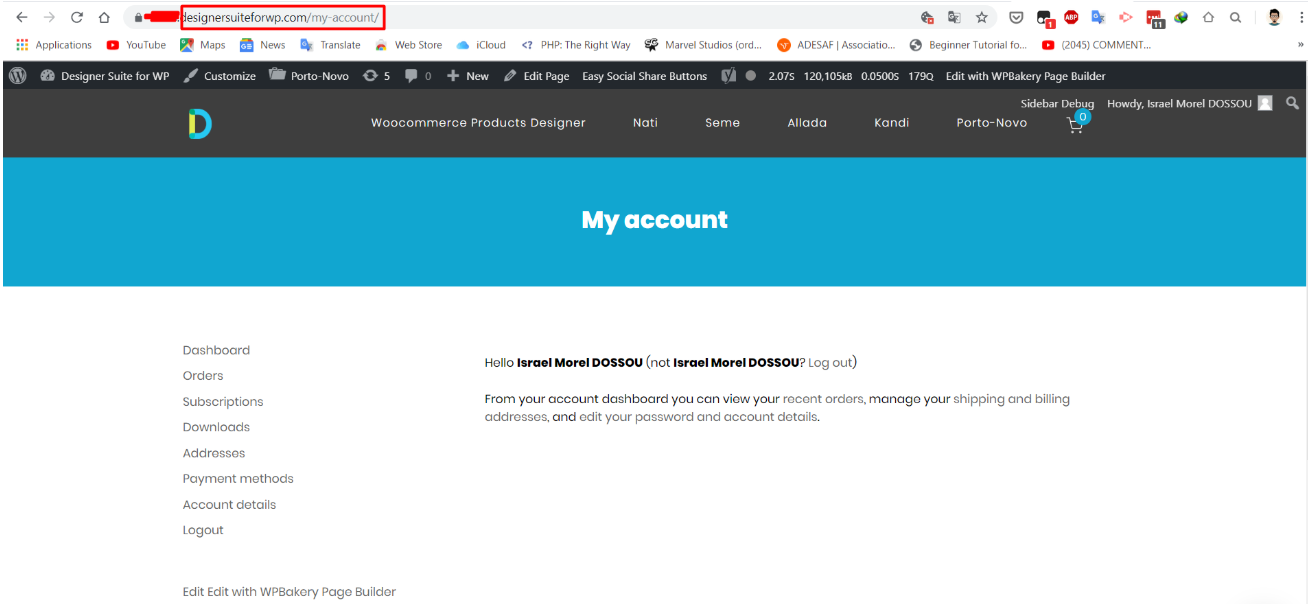
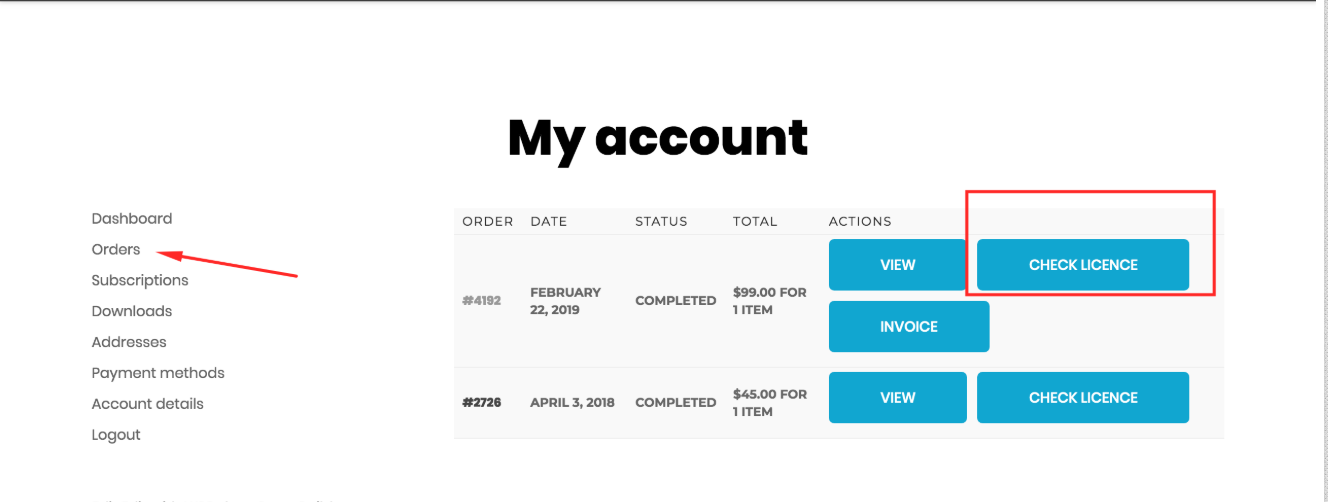
● Then click on Orders to display your previous orders on our site.
● Find the order that concerns the plugin Oudiah, our WooCommerce product designer and click on “CHECK LICENCE” (see screenshot below).
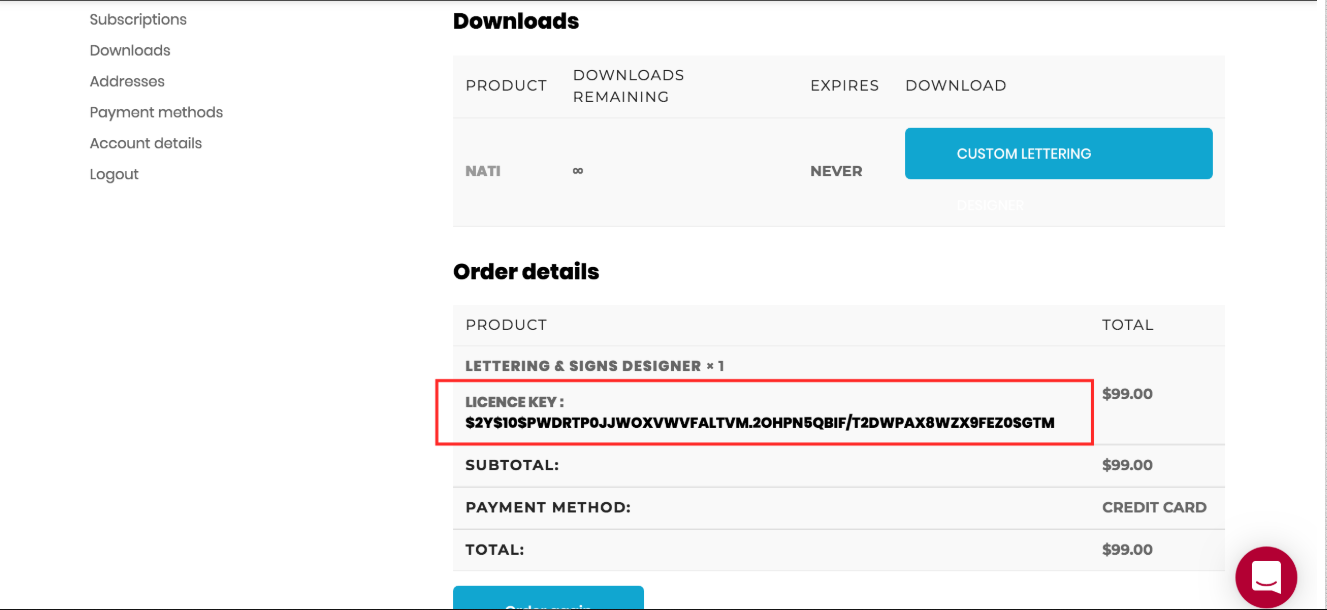
 ● You will find your purchase code (or license key) under “Order details”.
Got any questions? Please reach out to us in the comments section or via our live chat system.[/vc_column_text][/vc_column][/vc_row]